A low-cost alarm for an apartment without internet
PiGuard started with an urgent need to secure an empty apartment. There was no permanent internet connection, which made GSM notifications a basic requirement. I already had a Raspberry Pi, a modem and a SIM card. Building the alarm let me use hardware that had been sitting in a drawer while finding out whether I could program the cellular communication myself.
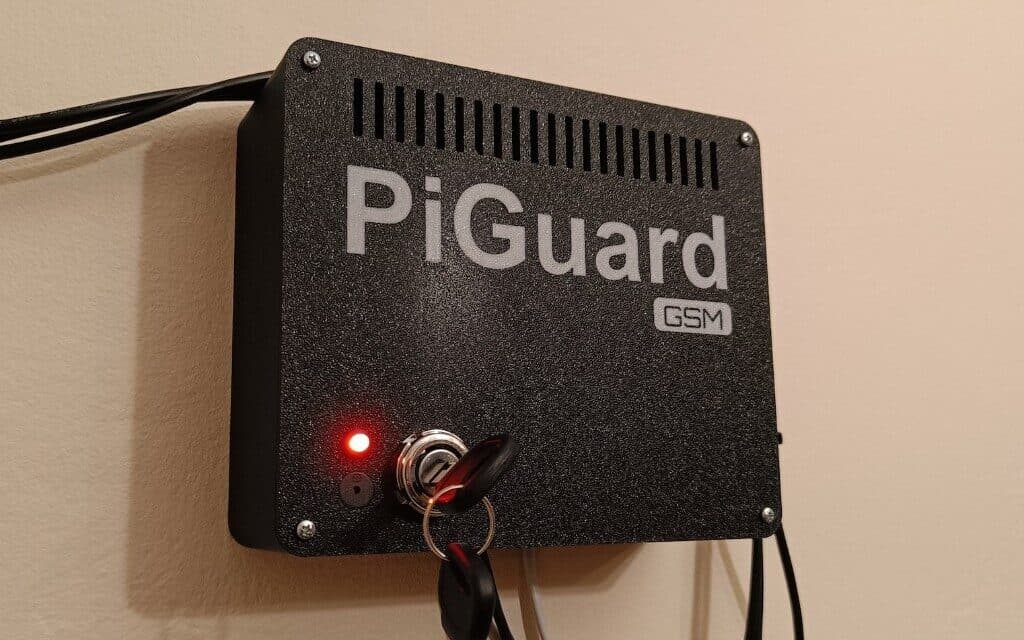
The requirements were specific. The device had to monitor three motion sensors, log every event and send both alarm and diagnostic text messages. After power returned, it had to start without my help, reconnect to the modem and confirm that it was ready. I did not plan to add a battery or UPS. PiGuard stops during a power cut, then returns to service on its own once 230 V power is restored.
I had three weeks to complete it. I began with small scripts used only for modem experiments. Once the connection worked consistently, I started writing the final application. The electronics board and printed enclosure came last.
Two Huawei modems and a serial port
The two variants of the Huawei E3372 modem took up most of the development time: an H model running HiLink and an S model in Stick mode. Huawei intended them to work through its own software, while I needed a regular serial modem controlled by a Raspberry Pi. Documentation for this use case was scarce.
I eventually got both units working. Each required a one-time configuration step on Windows, followed by the correct sequence of AT commands over USB. I found that sequence through experiments, starting with basic commands to check whether the modem responded at all. I then tested text-message mode, SIM status, network registration, the current operator and signal strength. Sending an SMS was the final step.
The finished application puts commands in a queue because the modem must complete one operation before it can begin another. Every command has a timeout and can be retried after an error. The application also detects a closed serial port and attempts to reconnect. Before sending a diagnostic message, it queries the modem again, so the SMS contains its current state instead of values saved during startup.
Most of the application is written in TypeScript and runs on Node.js. A small Python script handles the sound signals. AI helped me investigate communication with the modems and prepare a plain HTML control panel. It also helped with the Linux network-service configuration. I tested everything directly on the target Raspberry Pi and both modems. This was a fast hobby project with no separate test environment.
Three sensors and a physical key
PiGuard reads three inexpensive PIR sensors connected to the GPIO pins. When an input changes, the application logs the event, plays a sound and sends an SMS. A cooldown prevents a burst of messages when a sensor stays active or triggers again after a few seconds.
The sensors themselves caused the false alarms. I adjusted their sensitivity and pulse duration, but a large temperature change can still produce an incorrect reading. The controller records and reports the signal it receives. I accepted this limitation of the inexpensive sensors for this installation.
I used a car ignition switch to control the alarm. I had several of these switches on hand, and their mechanism suited the job. I keep the separate key on the same ring as the apartment keys. This prevents me from leaving it inside and walking out without arming the alarm again, and there is no code to remember.
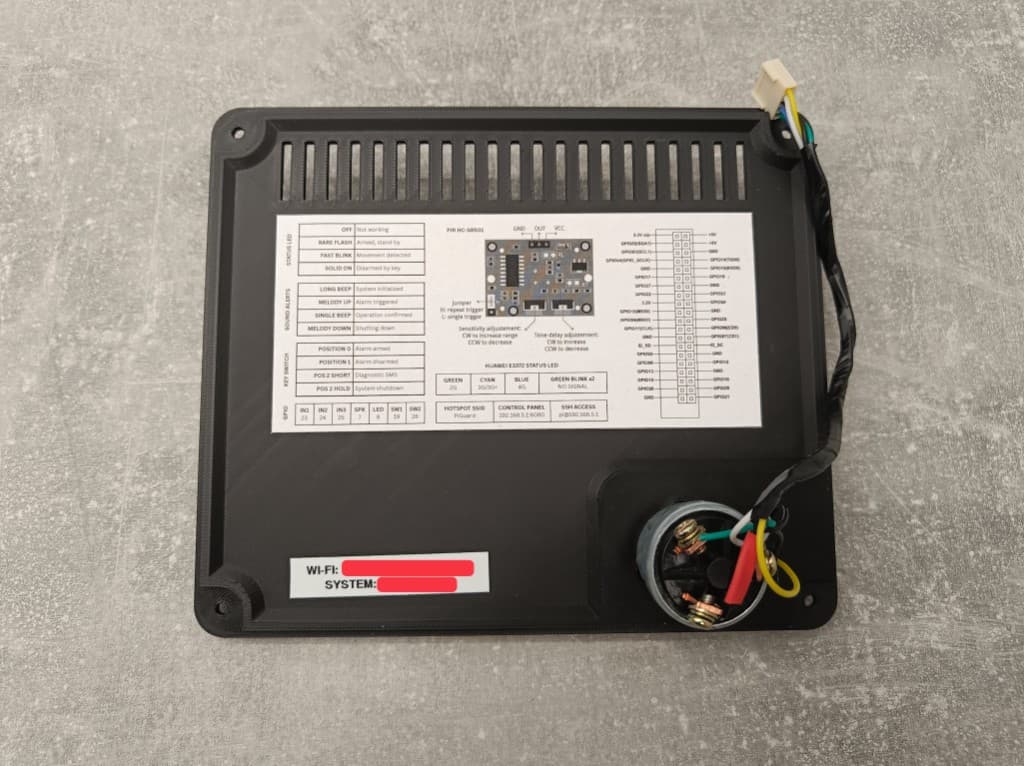
The first ignition position disables SMS notifications while someone is in the apartment. A brief turn to the start position sends a diagnostic message. Holding it there shuts the system down safely. An LED shows the operating state and sensor activity, while short sounds confirm each action.
Electronics built for permanent installation
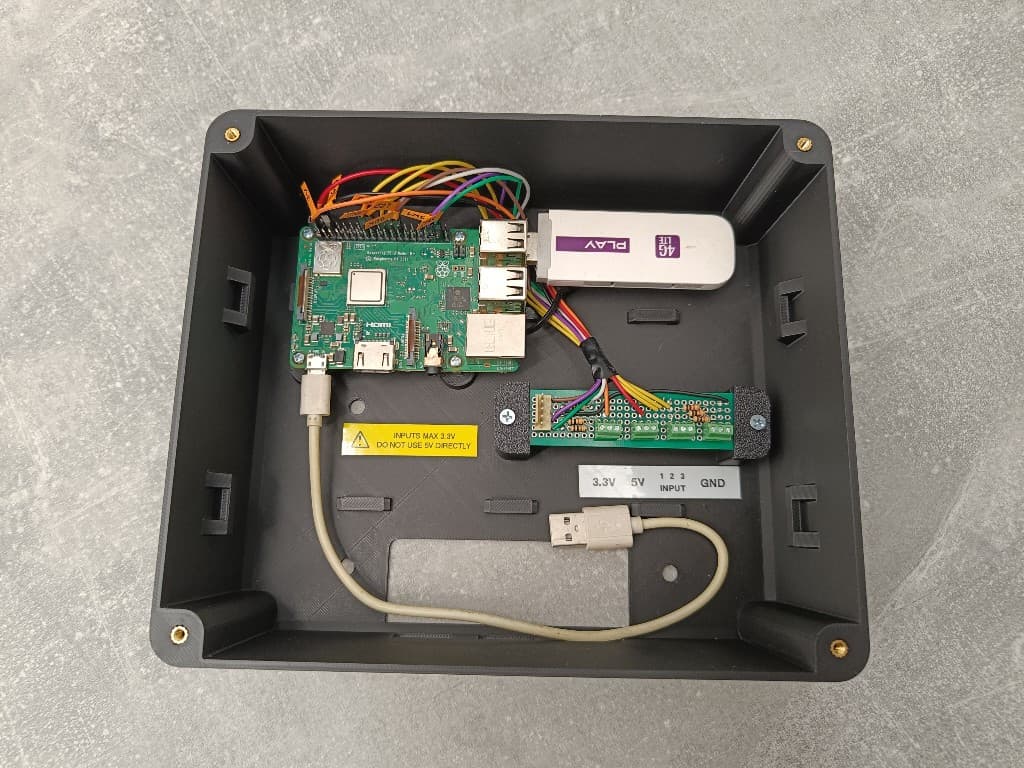
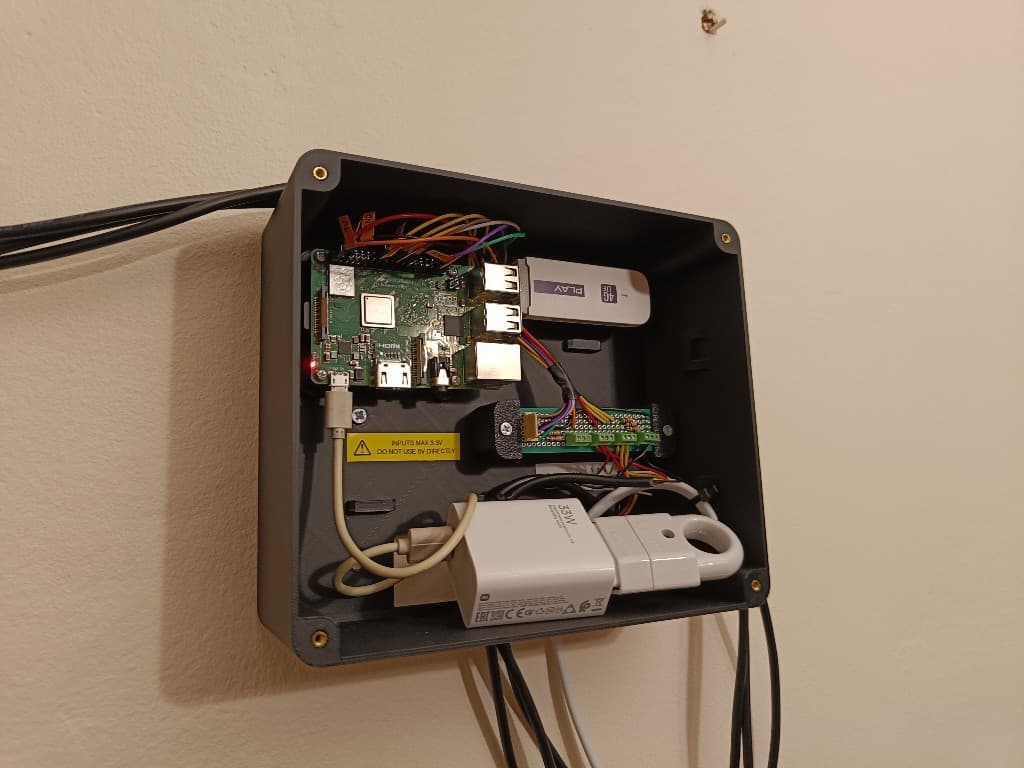
A Raspberry Pi 3B+ sits at the centre of the device. I soldered the connections on perfboard, crimped connectors onto every cable and routed the wiring so I could service the inside without cutting wires. I used the board to connect the sensors, LED, speaker and both ignition-switch positions.
I designed the enclosure from scratch in Fusion 360. The second iteration became the final version. I added a ventilation opening in the lid, cable entries along the bottom and mounting points for hanging the device on a wall. I arranged the components around the cable routes while keeping the Raspberry Pi and modem accessible.
Configuration through a local hotspot
The Raspberry Pi creates its own Wi-Fi hotspot because the apartment has no router. Access requires a password. Once connected to that network, I can open the control panel and check the uptime, all three inputs, modem parameters and recent logs. The panel can also send a test message, edit the configuration, synchronise the clock, and safely restart or shut down the device.
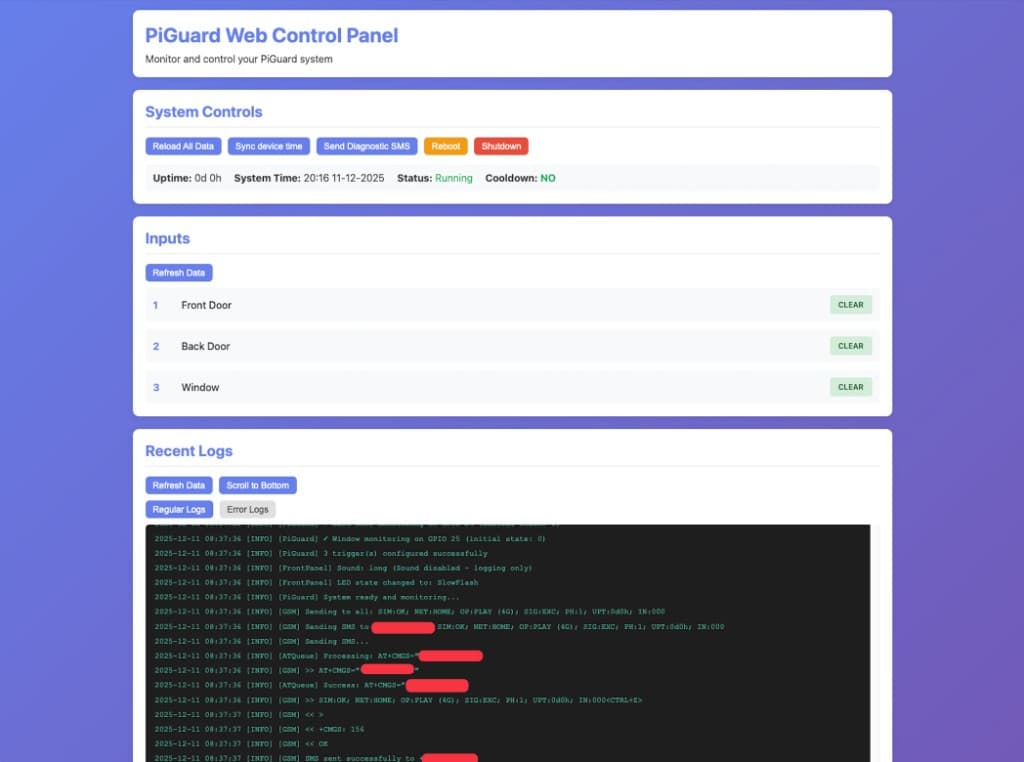
Logs are stored in rotating files on the memory card. Normal activity and errors go to separate files, and the panel displays the latest entries from both. For a device left in an empty apartment, this is more convenient than connecting a monitor or opening an SSH session for every check.
On boot, systemd starts the application and waits for the modem's USB port to appear. PiGuard initialises the GSM connection, checks the SIM and network registration, then sends a report. A diagnostic message includes the operator, signal strength, uptime and state of each input. After a power cut, the startup SMS also tells me that electricity has returned and the alarm is working again.
Working beyond the workbench
PiGuard remains in service in the apartment. Power cuts have been the only cause of restarts. When power returns, the controller starts and reconnects to the GSM network without manual intervention. The inexpensive sensors can still generate an occasional false alarm in response to a temperature change.
In three weeks, I went from sending individual commands to an uncooperative modem to mounting the finished device on a wall. I combined serial communication, GPIO, Linux services and a small web interface with soldering and enclosure design. The code, installation instructions and user guide are available in the public repository.