Where this project came from
VHS HTPC started from a simple need. I wanted a convenient way to watch video on a TV from a device that would not become another black box next to the media cabinet. I had an old laptop available. It was no longer practical as a portable machine, but it still had a strong processor and enough headroom for everyday online playback. Instead of buying a new mini PC, I decided to give that hardware a second life.
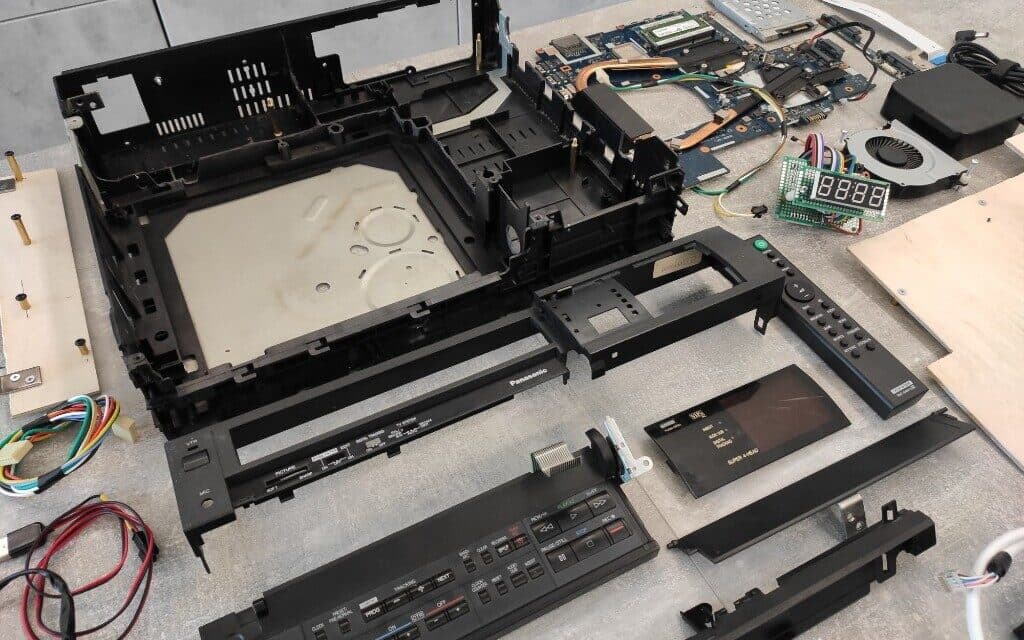
The second part of the idea was a retro Panasonic NV-J35HQ VCR. I remember this device from childhood, so building something new inside that enclosure had extra meaning for me. I wanted to keep its recognizable look while turning it into a functional media computer with custom controls.
From day one, this was never going to be a "drop in a board and done" project. The VCR interior is tight, and the motherboard from a 17-inch Asus K75VJ is large and long. Every mechanical decision affected the next one: board placement, power routing, port access, cooling, and space for the control electronics.
The hardest part: geometry and component packing
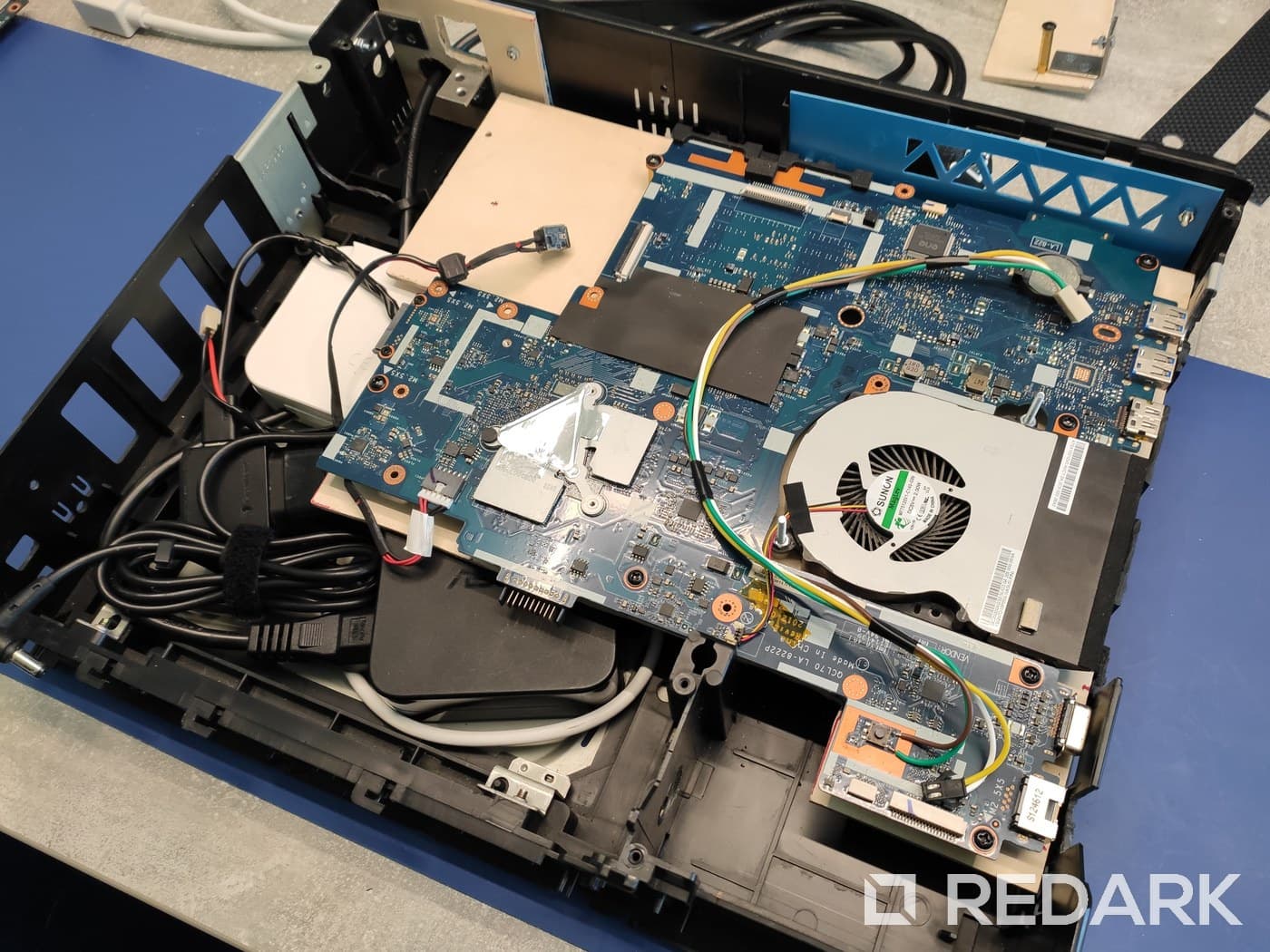
My first concept placed the motherboard perpendicular to the front panel. On paper, that layout looked promising. It gave cleaner rear port routing and left room for extra modules. In practice, the board barely fit even after removing the PCB section with SATA ports.
I tested several ways around that issue, including alternative storage wiring and different cable paths. In the end, mounting the board parallel to the front was the most practical choice. It preserved compatibility with the laptop's original wiring, but it required very precise mounting points and a full rework of the internal layout.
During enclosure work, I removed selected internal plastic reinforcements, cut new openings, and matched pass-through points for ports and cables. The key was to keep the outer shell intact. Once assembled, it still looks like a classic VCR from the outside, while the inside is rebuilt for a new role.
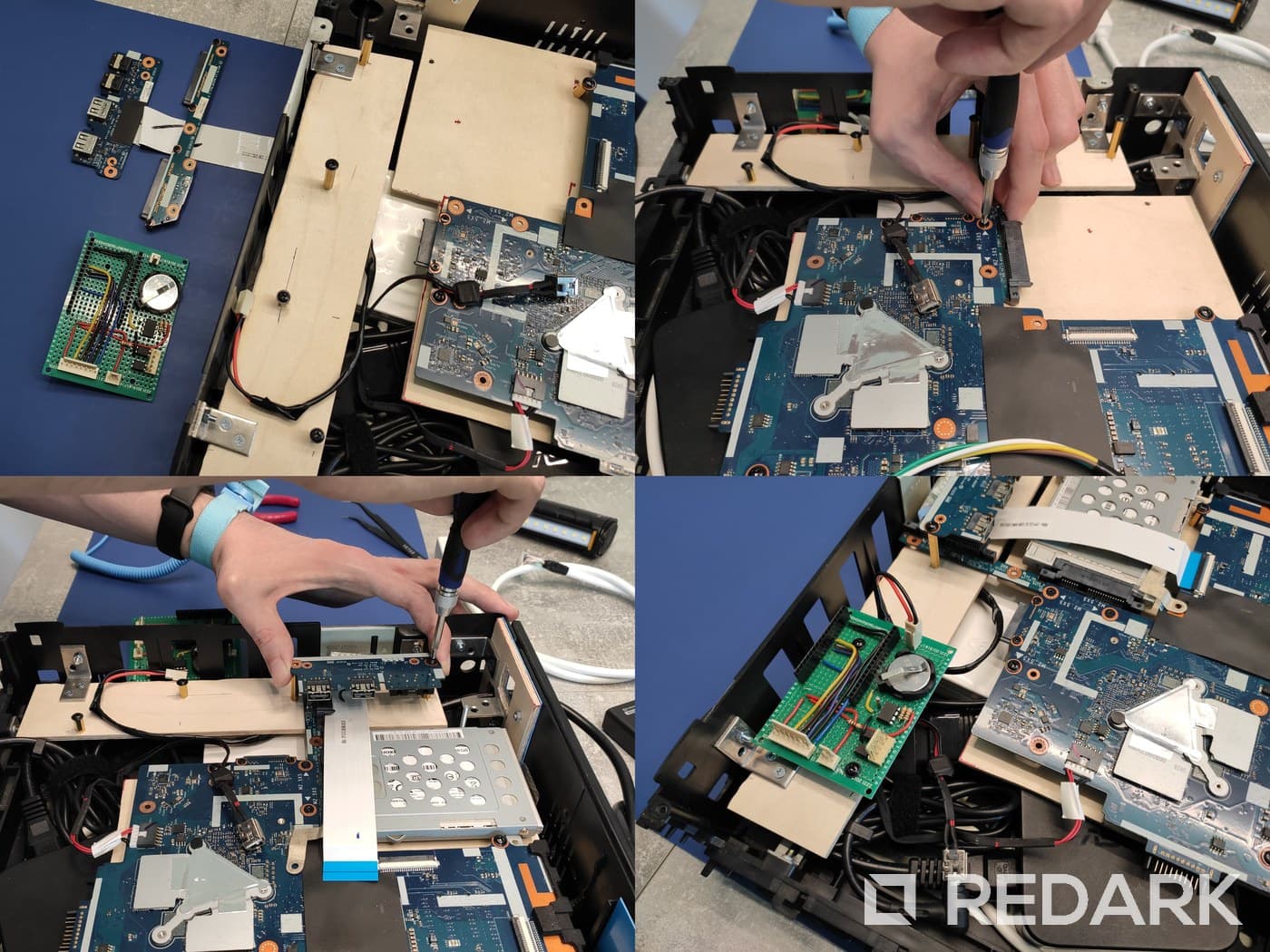
The final structure uses three layers. The bottom layer handles power-related elements. Above it sits the laptop motherboard. Around and above that, I installed support modules such as the SSD, the port panel, and my control electronics. This arrangement let me fit everything into limited space without ending up with random cable clutter.
Custom control electronics and physical interface
Booting Windows from a remote was not enough on its own. I wanted physical feedback from the device: a button, a status LED, and a small display showing information that matters in normal use.
I designed and hand-soldered a custom ESP8266-based board (NodeMCU v3) to handle control logic and PC communication. I added a real-time clock, front-panel wiring, and signal separation between the support electronics and the laptop motherboard. That setup gave me direct control over power behaviour and button response while keeping safe boundaries between subsystems.
The second part of that layer is a dedicated segment-display driver. I built it by hand on a separate board using shift registers and transistors, then mounted the display at the front together with an IR receiver. It took a lot of mechanical work and soldering, but it turned the front panel into something truly useful in daily operation.
The remote became the primary input device. From its buttons, I can trigger system actions, switch shortcut profiles, and move through a simple menu. My goal was straightforward use without reaching for a keyboard and mouse for every small task.
Windows integration and C# application logic
Electronics was only one side of this build. The second side was software that ties the system together. I wrote a desktop app in C# that communicates with the controller over a COM port and translates remote commands into Windows-side actions.
The base flow is simple: the user presses a remote button, ESP8266 sends an action code, and the app triggers a keyboard shortcut or system function. This model proved flexible because I could expand action mapping without rebuilding the whole firmware.
I also added lightweight helper windows for profile and app-shortcut selection. Because of that, the setup works as more than a play and pause remote. It behaves like a small interface layer for everyday HTPC use.
On top of control actions, the app sends CPU temperature back to the controller for display output. That small detail connects software and hardware in a practical way. The front display is not decoration; it reports a live device state.
Final outcome
VHS HTPC is a complete, working media computer inside a classic VCR enclosure. The project combines areas that are often treated separately: mechanical modification, electronics integration, software development, and interaction design for everyday use.
For me, the biggest value of this project was learning how to make technical decisions under real physical constraints. I did not have an ideal enclosure or an off-the-shelf module set. Each change had to respect actual space limits, part availability, and day-to-day usability after the case was fully closed.
I now treat this project as an important stage in my software and hardware workflow. It taught me how to ship when code architecture and physical architecture depend on each other. That experience carried over into later builds where software has to cooperate with a real device, not only with another API layer.
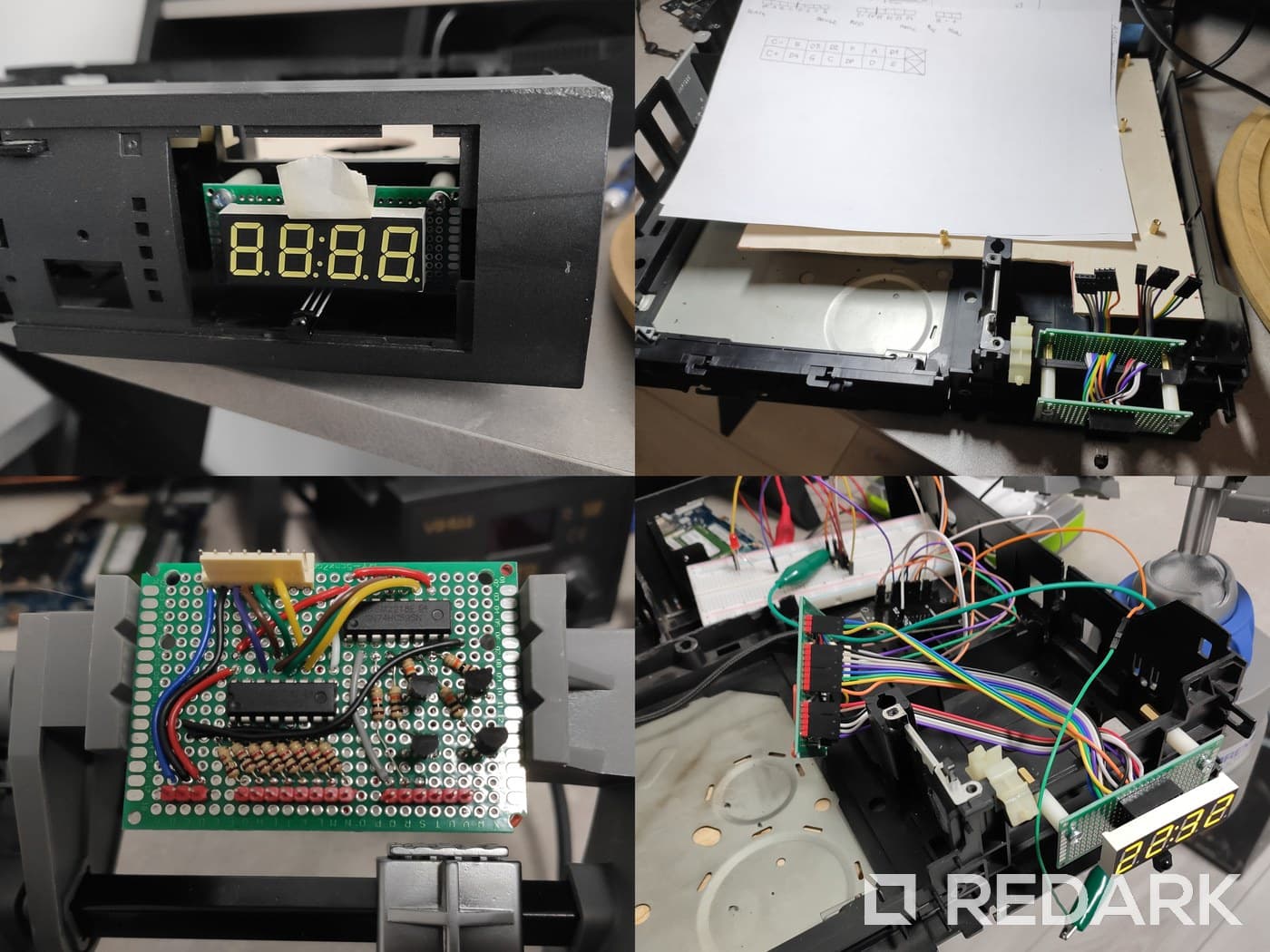
The source code, circuit diagram, and full build documentation are publicly available. This case study is not only a summary of the final result, but also a record of the process from first test fits to a complete working system.