A system built for daily use
I built a smart home system for everyone in the household to use every day. The main panel runs on a wall-mounted tablet in Fully Kiosk mode. The same dashboard is available on phones as a PWA, while traditional wall remotes handle the most common tasks in each room.
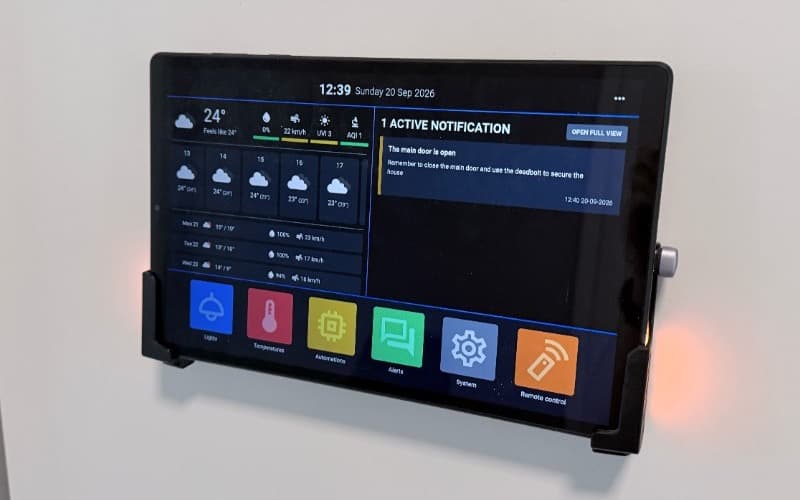
Home Assistant works well as a bridge to devices from different manufacturers, but its standard interface did not suit the way I wanted to use my home. I wrote my own React frontend so I could control the information hierarchy, tile layout and touchscreen interactions. I would rather write the feature I need than spend hours fighting someone else’s interface.
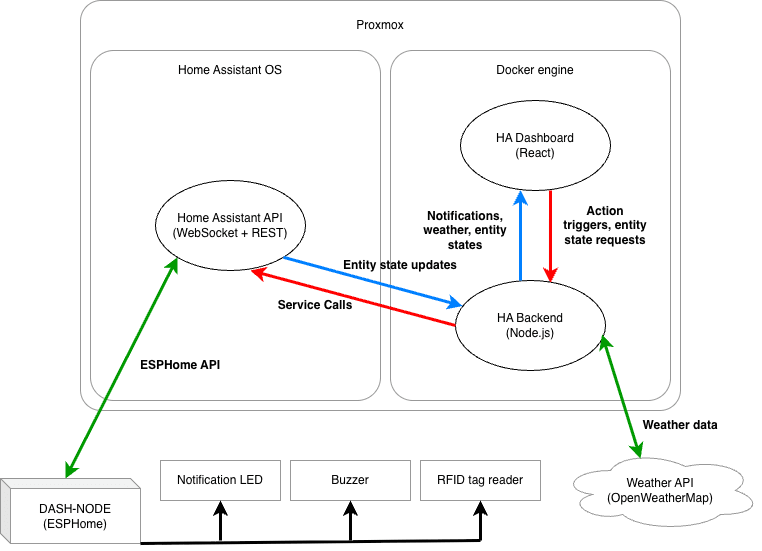
The project also has a Node.js backend. It runs the automation logic, notification system and device monitoring. Home Assistant remains the layer between my code and the hardware, including Zigbee devices and integrations that use MQTT.
A brief experiment with Node-RED
I tried Node-RED at the beginning. Its visual nodes were enough for simple rules, but the problems started as soon as I worked on notifications. The number of connections grew quickly, data passed through untyped nodes, and the lack of tests left me unsure whether changing one part would break another automation.
The system was still small, so there was no large migration to carry out. I quickly found that regular code gave me more control as a developer. A custom backend let me divide responsibilities into services, describe devices with types and test logic without running it against the real house. The tests cover entities, state machines, schedules and individual services.
The dashboard maintains a single WebSocket connection to the backend. The backend subscribes to changes in Home Assistant, sends the required states to the frontend and accepts control commands. The Home Assistant token never reaches the browser. Access to the home network alone is not enough to control any devices either: the dashboard asks for a password on first use, and the backend rejects unauthenticated connections.
Notifications that lead to action
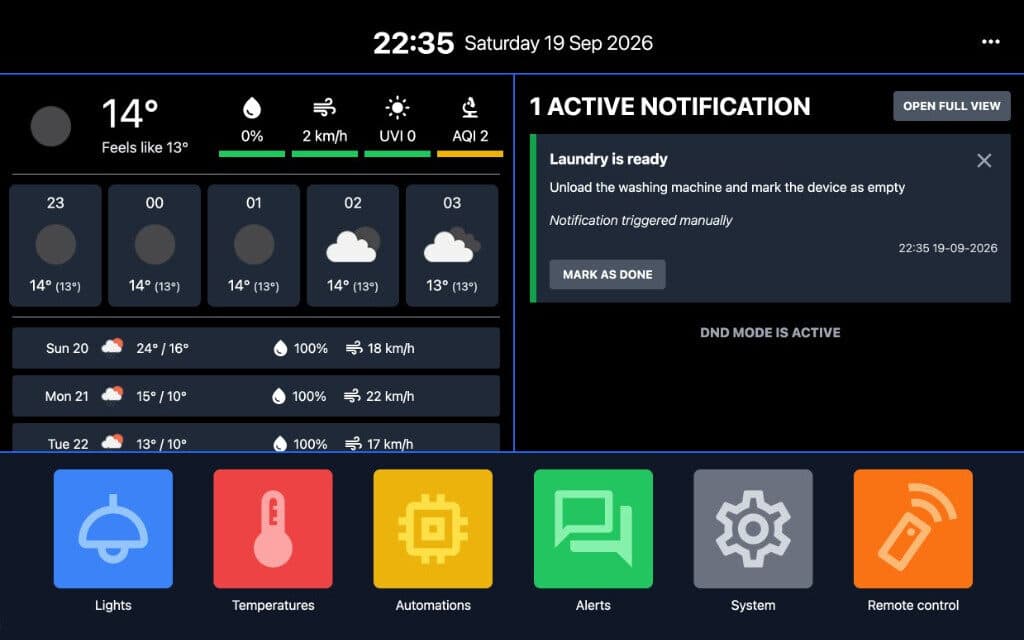
The backend keeps a list of active events and removes them only after the cause is gone or the user dismisses them. An alert can have a priority, colour and sound. The panel also has a night mode that silences less urgent events.
Messages appear on the tablet. An RGB light next to it changes colour, and urgent events trigger a sound, so nobody has to be looking at the screen. SMS alerts are next on my list for events I need to know about while away from home.
The front-door monitor shows the complete notification flow. I installed a custom sensor inside the door frame to detect the position of the deadbolt. When the door is left unlocked, the panel displays a warning and turns the light yellow. If it remains unlocked for more than 90 seconds, the alert changes to red and plays a sound. Locking the door clears the message because the system follows the physical state of the deadbolt rather than a timer alone.
Physical controls without opening an app
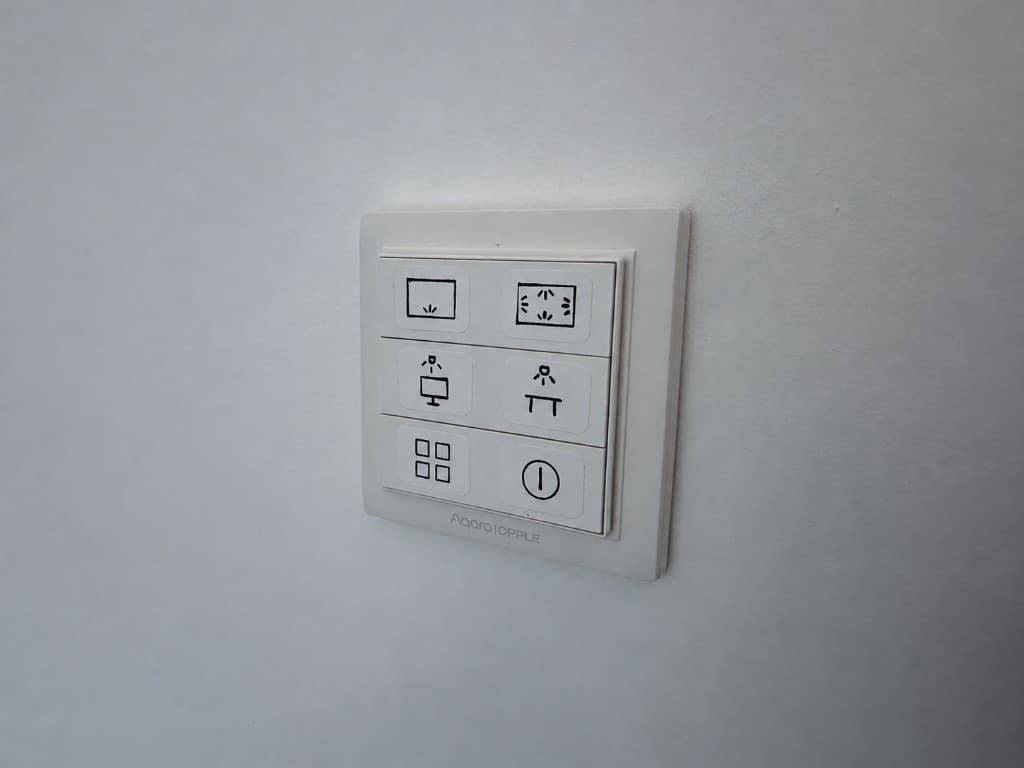
A screen is not always the easiest way to control lighting. In the living room, we use a six-button wall remote. Five buttons correspond to five light sources. A single press, double press or hold selects one of three brightness levels. The sixth button switches off every light.
The logic accounts for the current lighting state. If the selected scene is already active, repeating the same shortcut switches its assigned light off. One button can also turn on several lights or switch off others, keeping the remote straightforward while more involved actions run in the background. Nobody needs to understand the automation structure or open an app.
The dashboard also includes a virtual copy of the remote that is available on a phone. It is perfect when the cat is lying on my lap and getting up just to change the lighting is out of the question.
Monitoring the system itself
Home automation stops being useful when it quietly loses contact with a sensor. The backend currently synchronises more than 300 Home Assistant entities. These include physical devices, sensors, helpers and virtual entities. Selected components have their own monitoring rules: the system detects offline devices, low batteries and missing reports.
A sensor may still appear available despite not sending an update for several hours. I allow longer gaps for passive sensors, while active devices should report more often. When an important component exceeds its limit, its general name appears in a notification. I do not have to wait for a real event to expose a dead sensor.
The backend writes structured logs to a separate volume, and I can open the latest entries from the dashboard. The panel also shows service health and the Home Assistant connection state. The system has run daily for several years, and I restart it only for updates. My automation layer has become a permanent part of the house.
A project that keeps growing
I have developed this smart home system since 2023. Most of it predates my regular use of coding assistants. AI helped with a later data-flow refactor and made it easier to carry out the change on a live installation. I still define the system’s behaviour and verify it through tests and daily use.
The project is not finished. A few placeholders remain in the interface, and the next larger feature will control radiators based on whether anyone is home. Planned SMS notifications will extend the existing alert system beyond the local network.